How Git Stores Files Internally to Saves Space in Your Repository

Learn how Git stores files internally using snapshots, blobs, trees, and hashing to avoid duplication and save repository space efficiently.
Git is the most widely used version control system in the world, and one of the key reasons for its popularity is its highly efficient storage model. At first glance, Git appears to store a complete copy of your project every time you commit. Surprisingly, repositories remain compact even after thousands of commits.
So how does Git duplicate files while still saving disk space?
In this article, we will explore how Git stores files internally, how it avoids unnecessary duplication, and why its storage mechanism is both fast and space-efficient. By the end, you will clearly understand how Git manages file data under the hood and why it scales so well for large projects.
Overview: How Git Stores Data Efficiently
Unlike traditional version control systems such as Subversion (SVN), which store file differences between versions, Git takes a fundamentally different approach.
Git stores snapshots of the entire project state at every commit.
However, Git is smart enough not to duplicate unchanged data. If a file has not changed between commits, Git simply reuses the previously stored version instead of saving a new copy. This design enables Git to deliver:
- Faster operations (branching, merging, checkout)
- Reduced disk usage
- Strong data integrity and reliability
1. How Git Stores Data Using Snapshots Instead of File Differences
Most version control systems track line-by-line changes over time. Git does not.
Every time you create a commit, Git records a snapshot of the entire file structure at that moment.
What Happens When Files Don’t Change?
If a file remains unchanged between commits:
- Git does not store the file again
- Git simply creates a reference to the existing stored content
This means Git behaves like a content-addressable filesystem, where identical content is stored once and referenced many times.
Why This Matters
This snapshot model allows Git to:
- Instantly switch between branches
- Perform fast merges
- Avoid recalculating diffs repeatedly
2. Git Object Model: How Files Are Stored Internally
Git stores all repository data as objects inside the .git/objects directory. Each object is identified by a cryptographic hash based on its content.
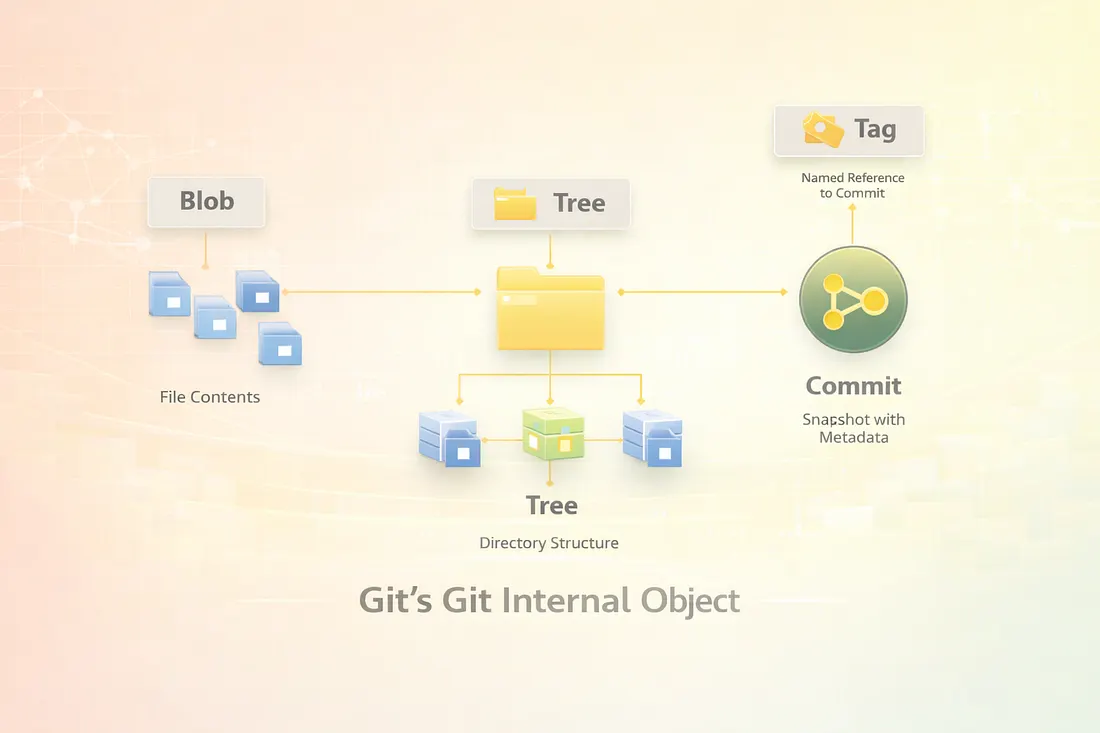
There are four primary object types in Git:
- Blob — File contents
- Tree — Directory structure
- Commit — A snapshot with metadata
- Tag — Named references to commits
2.1 Blob Objects: File Content Storage
A blob (Binary Large Object) represents the raw content of a file.
Key characteristics of blobs:
- Store file data only (no filename or permissions)
- Identical file contents result in identical blob hashes
- Stored only once, regardless of how many commits reference them
Why Blobs Enable De-duplication
If two files — or the same file across commits — have identical content:
- Git stores one blob
- Multiple commits point to the same blob
This is the foundation of Git’s space-saving mechanism.
You can inspect blobs using:
text1git ls-tree <commit-hash>
2.2 Tree Objects: Directory Structures
A tree object represents a directory in your project.
It contains:
- File names
- File permissions
- References to blob objects
- References to other tree objects (subdirectories)
Each directory in your project maps to a tree object, allowing Git to recreate the complete filesystem structure for any commit.
2.3 Commit Objects: Snapshots in Time
A commit object ties everything together.
It contains:
- A reference to the root tree
- Author and committer information
- Commit message
- Parent commit(s)
Commit Structure Example
text1Commit2└── Tree (Root Directory)3 ├── Blob (File 1)4 ├── Blob (File 2)5 └── Tree (Subdirectory)6 ├── Blob (File 3)7 └── Blob (File 4)
Each commit represents a complete snapshot, but most data is reused from earlier commits.
3. Inside the .git Directory: Git’s Internal Storage and Control System
The .git directory is the core of every Git repository. It stores all metadata, objects, and references.
3.1 .git/objects/
This directory stores all Git objects (blobs, trees, commits) in compressed form. Objects are named using their hash values.
3.2 .git/refs/
References to branches and tags live here. Each branch is simply a pointer to a commit.
3.3 .git/index (Staging Area)
The index tracks what will be included in the next commit. It bridges the gap between your working directory and the repository.
3.4 .git/HEAD
The HEAD file points to the currently checked-out branch or commit.
4. How Git Uses Hashing, Compression, and De-duplication to Save Space
Git’s efficiency comes from three core techniques.
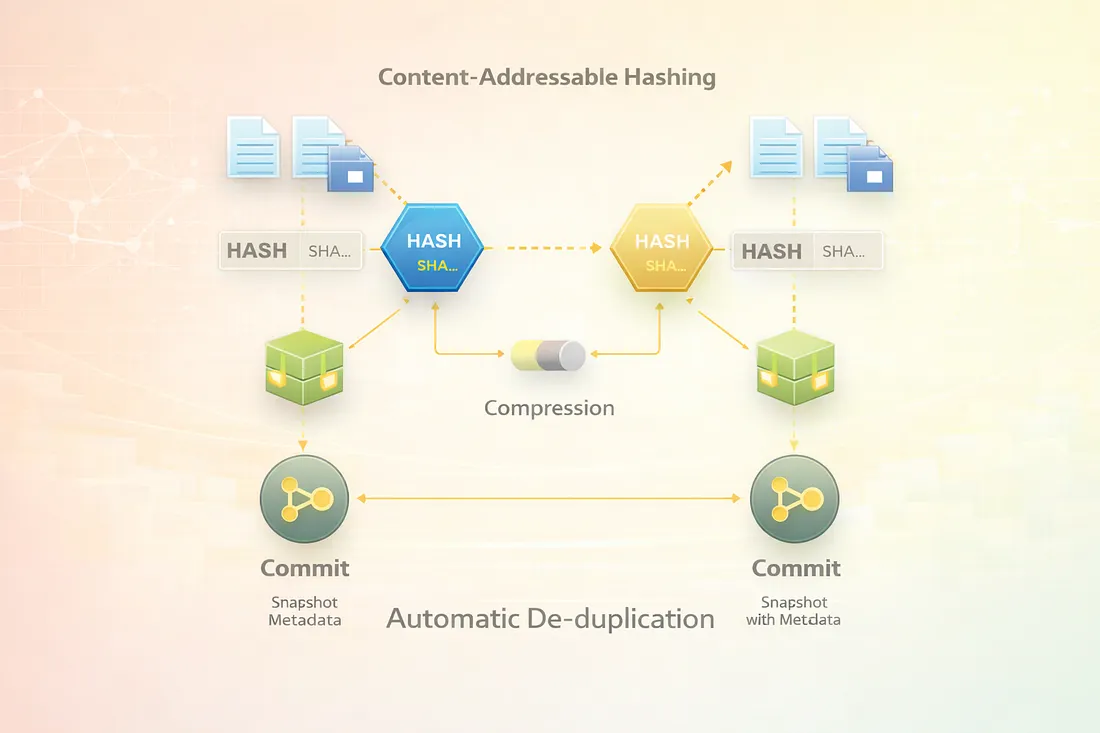
4.1 Content-Addressable Hashing
Git computes a hash (SHA-1 by default, SHA-256 supported) for every object based on its content.
- Same content → same hash
- Different content → different hash
This guarantees data integrity and prevents duplication.
4.2 Object Compression
Git compresses objects using zlib, reducing disk usage while maintaining fast access.
4.3 Automatic De-duplication
Git never stores the same content twice. If a file hasn’t changed:
- No new blob is created
- Existing blobs are reused
This is how Git duplicates files logically without duplicating data physically.
5. From Working Directory to Commits: How Git Builds and Stores Snapshots
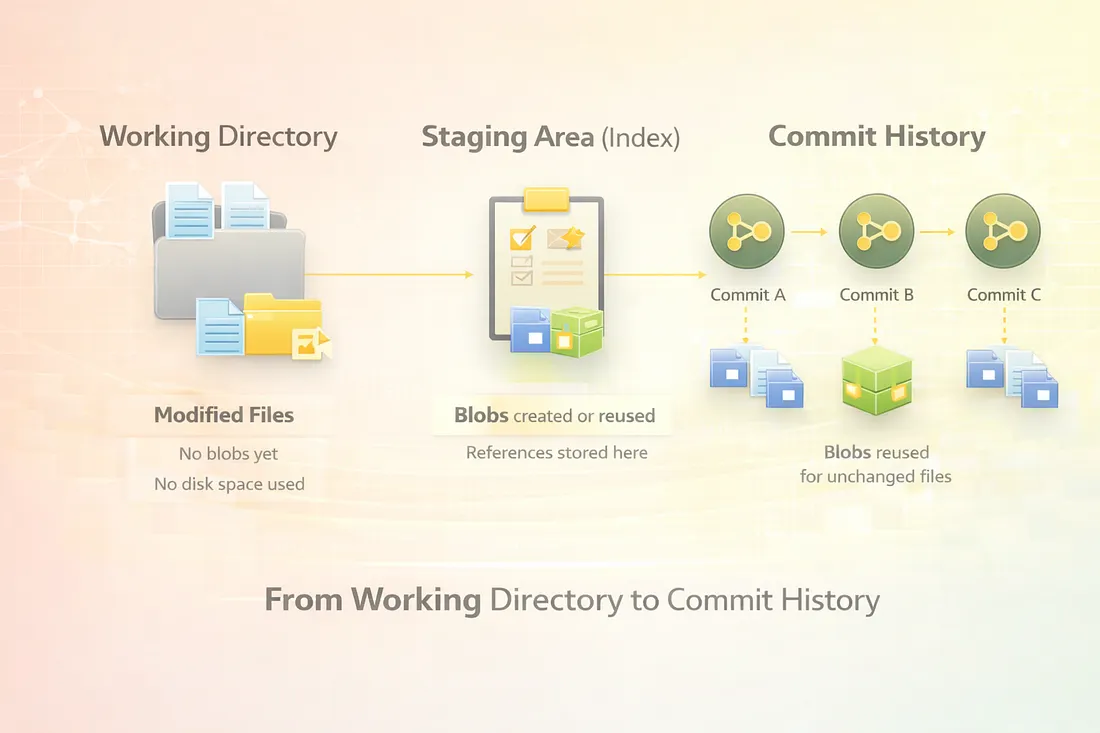
To fully understand how Git duplicates files while saving space, it is essential to understand the three logical areas through which every change flows: the working directory, the staging area, and the commit history. These are not just conceptual layers — they directly influence how Git creates objects and reuses existing data.
5.1 Working Directory
The working directory is the actual project folder on your local machine. It contains real files that you edit using your editor or IDE.
Key characteristics:
- Files here exist outside of Git’s object database
- Changes are not tracked automatically
- Git does not store anything permanently at this stage
When you modify a file in the working directory:
- Git detects the change
- No new blob is created yet
- No disk space inside
.git/objectsis used
This design allows Git to remain fast and lightweight while you experiment with changes.
5.2 Staging Area (Index)
The staging area, also called the index, is where Git begins its internal storage optimization.
When you run:
text1git add <file>
Git performs the following actions:
- Reads the file content from the working directory
- Computes a hash based on the content
- Checks whether an identical blob already exists
- Reuses the existing blob or creates a new one if needed
- Records the blob reference in
.git/index
Important details:
- The staging area stores references, not copies
- Unchanged files reuse existing blob objects
- Partial staging is supported, allowing fine-grained commits
This is where Git’s de-duplication logic begins to take effect.\
5.3 Commit History
When you run:
text1git commit
Git creates a commit object, which includes:
- A reference to a tree object
- Metadata (author, timestamp, message)
- A reference to the parent commit
Crucially:
- Git does not duplicate file content
- The new tree references existing blobs whenever possible
- Only changed files produce new blobs
Each commit represents a complete snapshot, but internally, most data is shared across commits. This allows Git to maintain a full project history without ballooning repository size.
6. Exploring Git’s Internals Using Low-Level Git Commands
One of Git’s strengths is transparency. Git provides low-level commands that allow you to inspect its internal object database, making it easier to understand how files are stored and reused.
These commands are especially valuable for developers who want to understand Git beyond everyday workflows.
6.1 git cat-file: Viewing Raw Git Objects
The git cat-file command allows you to inspect any Git object directly.
To view a commit object:
text1git cat-file -p <object-hash>
This displays:
- The referenced tree
- Parent commit
- Author and committer details
- Commit message
You can also inspect blob objects to see file content exactly as Git stores it, confirming that identical content is reused across commits.
6.2 git ls-tree: Exploring Tree Structures
The git ls-tree command shows how a commit or tree maps to files and directories.
text1git ls-tree <commit-hash>
Output includes:
- File permissions
- Object type (blob or tree)
- Object hash
- File or directory name
This command clearly demonstrates how Git builds directory snapshots using tree objects that reference blob objects, without duplicating data.
6.3 git rev-parse: Resolving References to Hashes
The git rev-parse command helps resolve symbolic references into their actual object hashes.
text1git rev-parse HEAD
Use cases include:
- Verifying which commit a branch points to
- Debugging detached HEAD states
- Understanding reference resolution
This reinforces the idea that branches and tags are lightweight pointers, not copies of data.
Conclusion: Why Git’s Storage Model Is So Powerful
Git’s ability to duplicate files logically without duplicating data physically is the cornerstone of its performance and scalability. By storing content as immutable, hashed objects and reusing them across commits, Git ensures that repositories remain fast and space-efficient — even with extensive histories.
Key Takeaways
- Git stores snapshots, not file diffs
- Identical file content is stored only once and reused
- Blobs, trees, and commits form Git’s object model
- The
.gitdirectory contains all internal data - Hashing and compression ensure integrity and efficiency
Understanding Git’s internal storage model gives you deeper confidence when working with branches, rebases, merges, and large repositories. It also explains why Git continues to outperform traditional version control systems in both speed and reliability.