Why a Good README.md Matters More Than Your Code

Is your repository a ghost town? Discover why the README.md is the most critical file in your project.
The “Black Box” Problem
Imagine you are shopping for a new laptop online. You click on a product that looks promising, but the page has no photos, no spec sheet, and no price. It just has a button that says “Buy Now.”
Would you click it? Of course not. You have no idea what you are getting into.
In the world of software development, your GitHub or GitLab repository is the product page, and your README.md is the sales pitch.
Too many developers fall into the “Black Box” trap. They spend hundreds of hours writing elegant, highly optimized algorithms, pushing perfectly tested code to the src folder, and then leave the root directory empty. They assume the code speaks for itself.
Code never speaks for itself. Unless a user can understand what your project does, how to install it, and why it matters in under 30 seconds, your code effectively does not exist.
This guide moves beyond the theory. You’ll look at the architecture of documentation, visualize the user journey, and provide the exact syntax you need to turn a dead repository into a thriving open-source project.
1. The Visual Impact: Before vs. After
Let’s look at a concrete example. We have a hypothetical library called Data-Muncher, a simple Python script that cleans CSV files.
Scenario A: The “Ghost Town” (No README)
When a recruiter or developer lands on this repository, this is all they see:
text1📁 Data-Muncher /2├── 📁 src /3│ └── main.py4├── 📁 tests /5│ └── test_main.py6├── .gitignore7└── requirements.txt
The User Experience:
- Confusion: “What does this do? Does it munch data? Is it for SQL or CSV?”
- Frustration: “I have to read the source code to figure out how to run it.”
- Action: The user hits the “Back” button and finds a competitor.
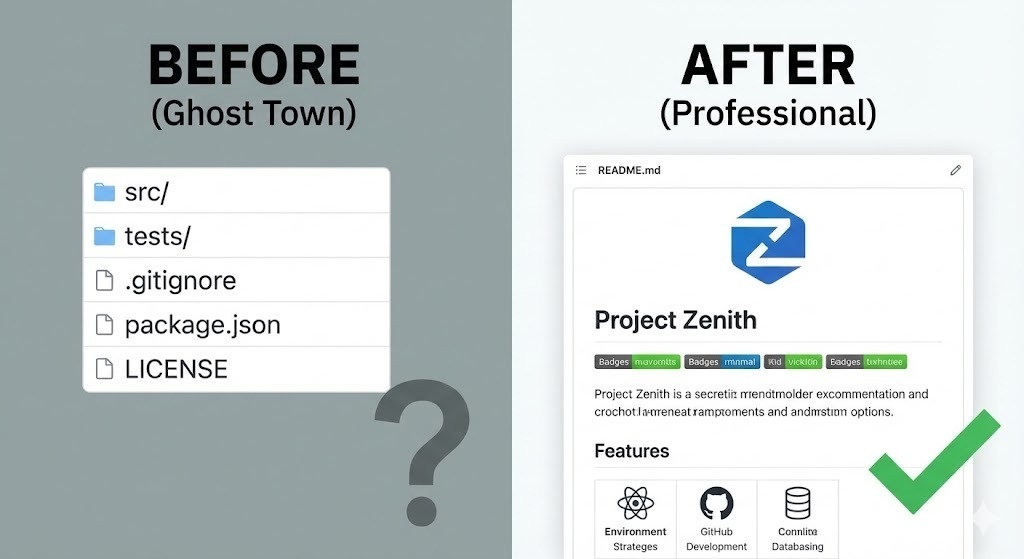
Scenario B: The “Professional Product” (With README)
Now, look at the exact same code, but with a structured README.md.
The directory now looks like this, but the rendering on GitHub presents a beautiful interface:
text1# 🦁 Data-Muncher234567> A lightning-fast Python library to clean messy CSV files 10x faster than Pandas.89## 🚀 Features10- Removes duplicates automatically.11- Normalizes date formats (ISO-8601).12- zero-dependency architecture.1314## 📦 Installation15pip install data-muncher
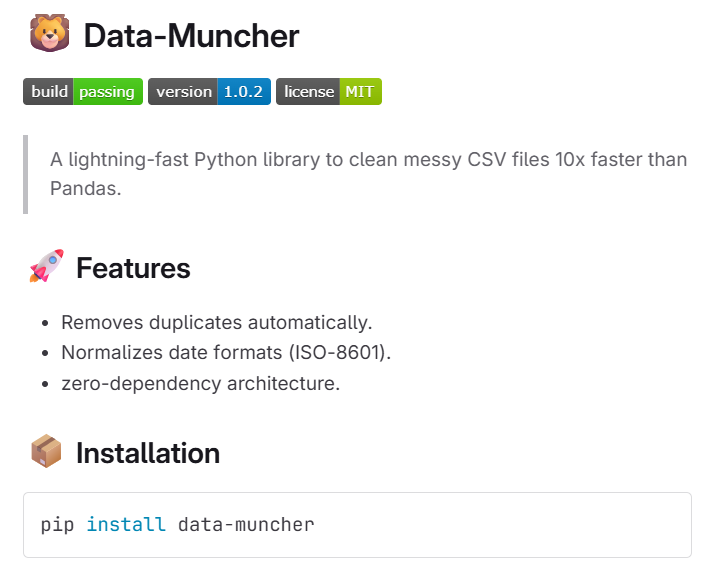
The User Experience:
- Clarity: They know exactly what it is immediately.
- Trust: The “build passing” badge proves it works.
- Ease: They can copy-paste the installation command.
2. The “5-Second Rule”
In UX design, we often talk about the Time to Hello World (TT-HW). This is the time it takes for a new user to land on your repo and get the code running on their machine.
If your TT-HW is longer than 5 minutes, you lose 80% of your potential users.
The User Decision Flowchart
Below is a diagram illustrating the mental process a developer goes through when evaluating your library.
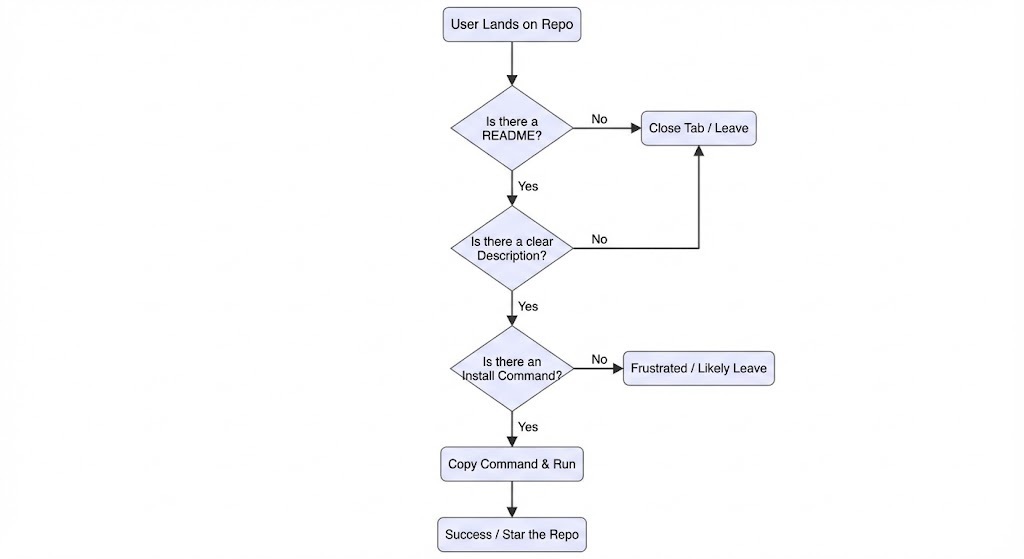
A good README removes the “No” branches from this flowchart. It streamlines the path to the “Star the Repo” outcome.
3. The Technical Anatomy of a Perfect README
A professional README isn’t just a wall of text; it is structured data using Markdown. Here are the essential components and the syntax to create them.
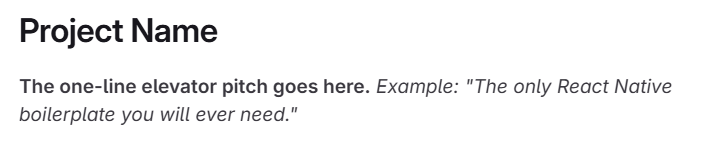
A. The Header and Elevator Pitch
Don’t start with “Introduction.” Start with the name and a hook.
Code Syntax:
text1# Project Name2**The one-line elevator pitch goes here.** *Example: "The only React Native boilerplate you will ever need."*
B. Shields (Badges)
Badges are the “Social Proof” of open source. They tell the user that the project is alive, maintained, and licensed. You don’t need complex code for this; you use markdown image links.
Code Syntax:
text12

C. The Visual Demo (Show, Don’t Tell)
If you are building a UI, a GIF is mandatory. If you are building a CLI (Command Line Interface), a screenshot of the terminal is mandatory.
Why? The human brain processes images 60,000x faster than text.
Code Syntax:
text12*Caption: Seeing the app in dark mode.*
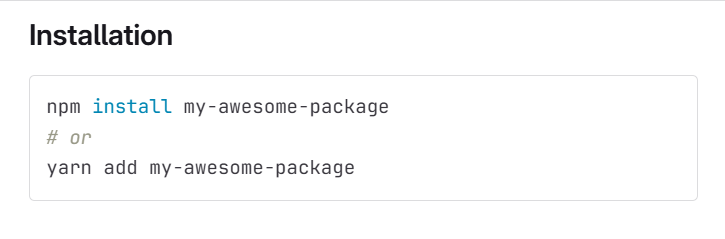
D. The Quick Start (Copy-Paste Ready)
This is the most crucial technical section. Do not describe how to install it; give the command. Use “Code Fences” (triple backticks) to allow users to copy the code easily.
Bad Documentation:
“To install, you need to open your terminal and run the npm install command for our package.”
Good Documentation:
text1npm install my-awesome-package2# or3yarn add my-awesome-package
4. README Driven Development (RDD)
Most developers write the code first!!
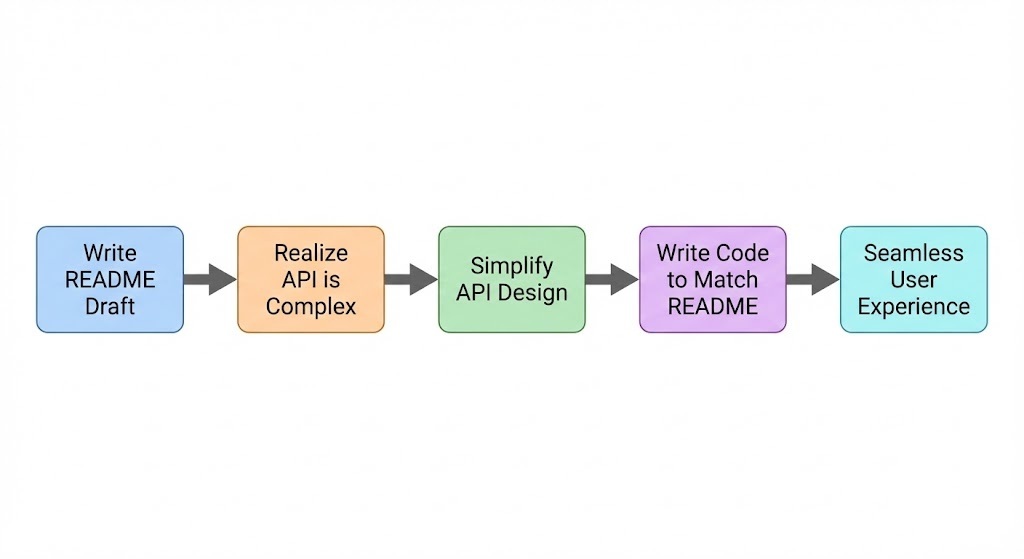
Readme Driven Development (RDD) suggests that you should write the README before you write a single line of code.
How RDD Works:
- Draft the README: Write down the hypothetical installation command and the API functions you wish existed.
- Reality Check: As you write the README, you might realize, “Wait, this function requires 5 arguments. That is too complicated to explain.”
- Refactor Design: You simplify the design before coding it, simply because explaining the complex version in the README was too hard.
5. Formatting Matters: Markdown Tricks for SEO and Readability
A wall of plain text is hard to scan. You need to use Markdown features to create hierarchy and “scannability.” Search engines (SEO) also prefer structured content.
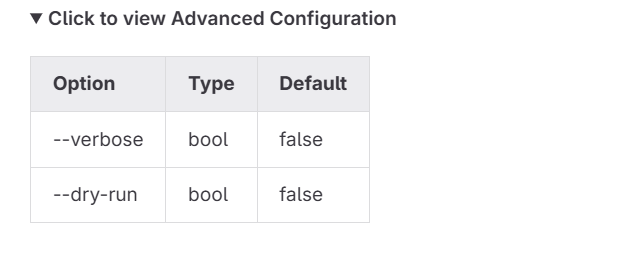
Using Collapsible Sections
If you have a long list of configurations, use the HTML <details> tag within your Markdown to keep the page clean.
Code Syntax:
text1<details>2<summary>Click to view Advanced Configuration</summary>34| Option | Type | Default |5|--------|------|---------|6| --verbose | bool | false |7| --dry-run | bool | false |89</details>
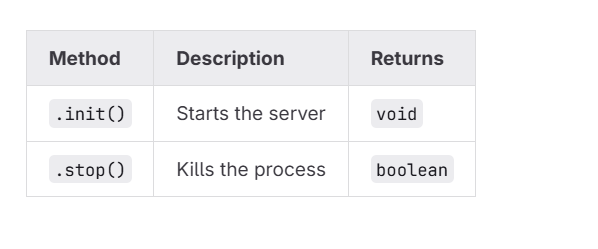
Using Tables for Data
Don’t list arguments in paragraphs. Use tables. They are cleaner and look professional.
Code Syntax:
text1| Method | Description | Returns |2|--------|-------------|---------|3| `.init()` | Starts the server | `void` |4| `.stop()` | Kills the process | `boolean` |
6. The “Bus Factor” and Maintenance
Documentation is an insurance policy against the “Bus Factor.”
The “Bus Factor” is the minimum number of team members that have to be hit by a bus (or quit) before the project creates stops functioning because no one knows how it works.
If only you understand how to deploy the database, your project has a Bus Factor of 1. This is dangerous.
A good README acts as an “External Brain.” It remembers the setup steps so you don’t have to.
Essential “Maintenance” Sections to Include:
- Development Setup: How to clone and run the repo locally.
- Testing: How to run the test suite (
npm run test). - Deployment: How the code gets to production.
7. SEO: Getting Your Repo Found
You want your project to be found on Google, not just GitHub. The README.md is the primary source of content that Google crawls.
SEO Checklist for READMEs:
-
Keywords in H1/H2: If your project is a “JSON Parser,” ensure those words appear in the Title and Description.
-
Alt Text for Images: Google cannot see images.
- Bad:
 - Good:

- Linking: Link to your other projects or your portfolio. This creates a “backlink” structure that improves your ranking.
Conclusion: Documentation is Empathy
Ultimately, writing a good README is an act of empathy. It signals that you care about the person on the other side of the screen.
When a hiring manager looks at your portfolio, they aren’t going to clone your repo and audit your variable names. They are going to read your README.
- Messy README = Messy Developer.
- Structured, Clear README = Senior Engineer potential. Don’t let your brilliant code die in the dark. Light it up with a README that sells, explains, and guides.